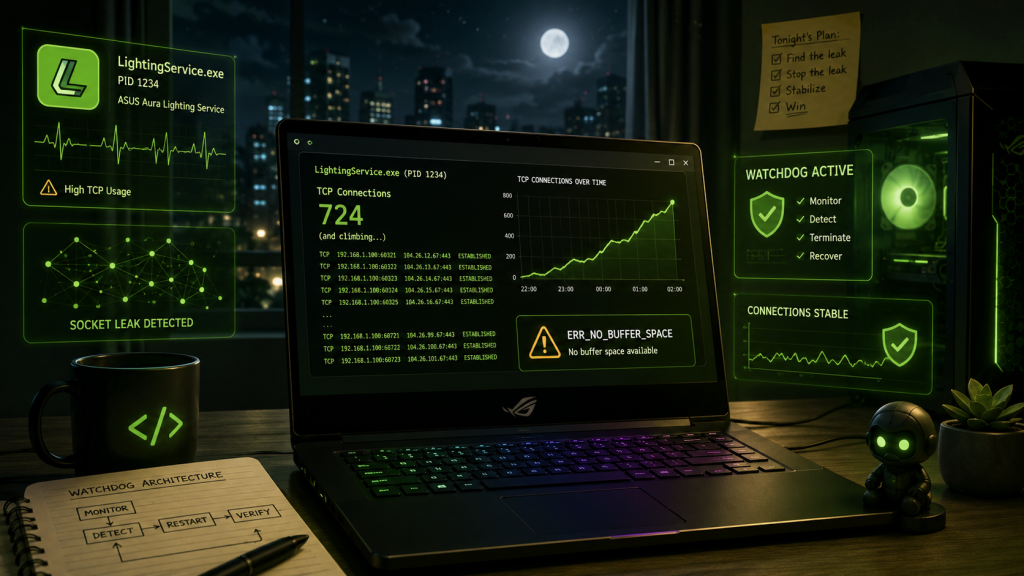
TL;DR: Fixing the LightingService Socket Leak
ASUS LightingService can cause severe system freezes and ERR_NO_BUFFER_SPACE errors by continuously leaking TCP sockets. Instead of uninstalling Armoury Crate, I built LightingWatchdog — a lightweight background monitor that automatically detects socket exhaustion, safely flushes dead connections, and restarts the service.
Note: since this article was written, the PowerShell toolkit kept the name LightingWatchdog, while the compiled application grew into a separate project, Network Watchdog. See Update 2 at the end.
The Perfect Setup and the Silent Killer
I didn’t plan to spend several nights debugging a rogue RGB daemon. I didn’t plan to write a diagnostic suite, a watchdog, a trend engine, and a full Windows background monitor. And I definitely didn’t plan to become an unwilling expert in ASUS LightingService’s networking behavior.
It was late — one of those quiet nights when the world feels paused and you finally have time to breathe. I was working on my ASUS Zephyrus G14, a machine I genuinely love. It’s sleek, compact, powerful (and therefore super hot during gaming sessions), and usually incredibly reliable. But over the course of several weeks, I started noticing strange behavior that disrupted my workflow.
It began quietly. The mouse would stutter for a split second. The RGB lighting on the chassis would flicker or completely freeze. Armoury Crate, the ASUS control center, would become entirely unresponsive or stop showing the system monitor info. The system felt like it was “thinking too hard” for no apparent reason.
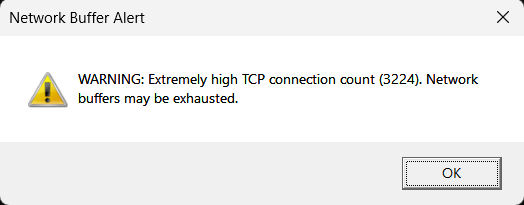
At first, I brushed it off. We all know Windows sometimes does weird things in the background—maybe it was indexing files, or a game launcher was silently updating. But then one night, while I was chatting with a friend on Discord and opening links he shared, the system threw a TCP buffer exhaustion error — ERR_NO_BUFFER_SPACE.
This was something I had never seen on a modern laptop before. Initially, my web browsers simply wouldn’t open certain web pages. Soon after, they started showing the same buffer error for every website, eventually preventing any application requiring an internet connection from communicating with its servers. Strangely, the Wi-Fi and LAN connections themselves were working perfectly, and all other devices on the network were communicating without issue. That was the moment I knew something was deeply, fundamentally wrong. This wasn’t a standard Windows glitch; it was a systemic failure.
The Hunt Begins: Playing Detective
I opened every diagnostic tool I had at my disposal: Resource Monitor, Process Explorer, PowerShell, and standard netstat commands. I started digging like a detective in a dark alley, looking for any clues that could explain the memory and network bottleneck.
Eventually, I managed to discover the service causing the trouble: LightingService.exe — the ASUS RGB controller — was opening TCP connections. Not one. Not ten. Hundreds of them. Every few seconds, another connection was spawned. And here was the kicker: none of them ever closed. It was like watching a faucet drip into a bucket that never emptied. Eventually, the bucket overflowed, the TCP/IP stack choked, and my system froze. I sat there in disbelief. LightingService is supposed to control local LEDs. Why on earth was it talking over TCP, and why was it aggressively leaking sockets?
The Illusion of an Easy Fix
Before resorting to drastic measures, I wanted to find an easy and fast fix for LightingService, so I started googling for a possible solution. I figured there had to be a configuration file where I could disable this unnecessary network polling.
I searched every possible ASUS directory on my drive: Program Files, ProgramData, AppData Local, and Roaming. I looked for .config, .json, .xml, .ini, .properties — anything that could control networking, telemetry, or socket behavior.
After a couple of hours, I found absolutely nothing.
Eventually, I concluded that the settings were hard-coded. As far as I could tell, everything lived inside compiled executables and DLLs like AuraService.dll.. I briefly considered reverse-engineering or hex-editing the binaries, but that would be unsafe and unstable. I even considered uninstalling Armoury Crate entirely, but I didn’t want to lose the hardware controls I actually liked. I wanted a real fix, not a surrender.
Taking Matters Into My Own Hands
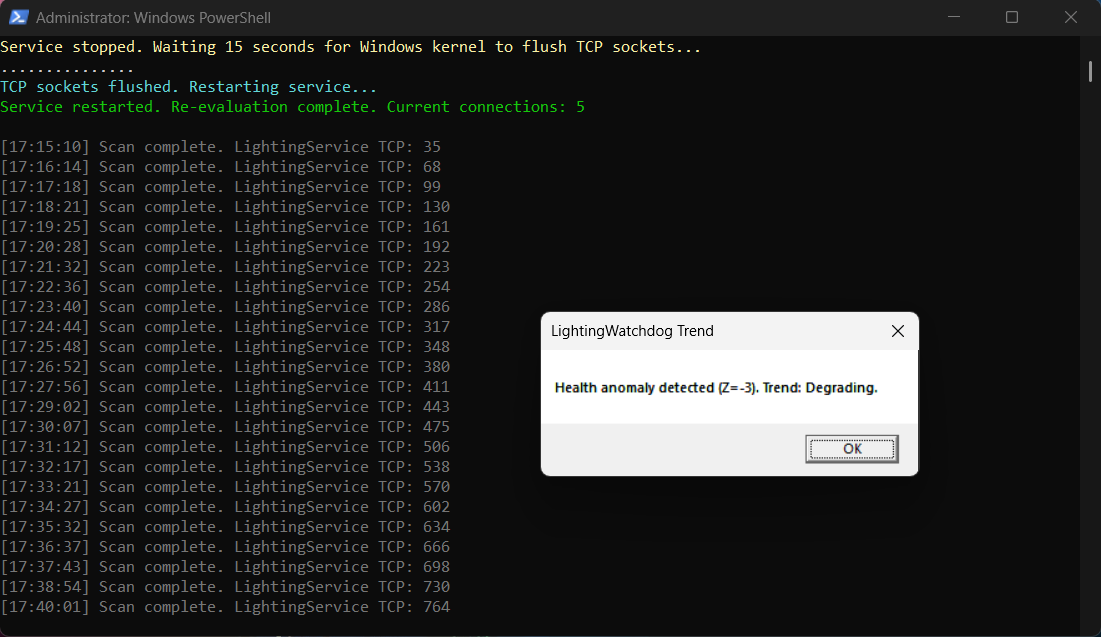
To understand the scope of the problem, I wrote a quick, dirty PowerShell script to count the TCP connections tied to the LightingService PID. I watched the numbers climb like a slow tide: 100, 200, 300, 500, 700. The socket leak was severe.
A thorough online search confirmed I wasn’t alone. Many users across Reddit and ASUS forums with Zephyrus, Strix, and TUF laptops were reporting very similar crashes. Since no patch was available at the time, and I didn’t want to switch to third-party solutions like OpenRGB, SignalRGB or Polychromatic (the full list is just below) — I decided to develop a solution that would fix the LightingService TCP leakage and allow me to continue using the original ASUS software until they released an official patch.
My first attempt was a simple script to kill and restart the process when connections got too high. But I quickly hit a wall: terminating the process didn’t immediately clear the TCP buffer. Sockets were left in a “TIME_WAIT” state, or held by orphaned child processes. The connection count would just pick up exactly where it left off. I needed something much smarter.
Alternatives I Considered
If you would rather avoid Armoury Crate altogether, these are the tools I looked at. I have not tested all of them, so check each project before installing.
Independent and open-source projects
Other vendors’ own tools
- RGB Fusion (Gigabyte Control Center page)
- iCUE (Corsair) (direct download)
- Mystic Light (MSI)
The Birth of LightingWatchdog
I decided to expand my script into a modular architecture. Piece by piece, night after night, it evolved into a full-fledged system. I built separate modules for Utilities, Diagnostics, Trends, and the core Watchdog loop.
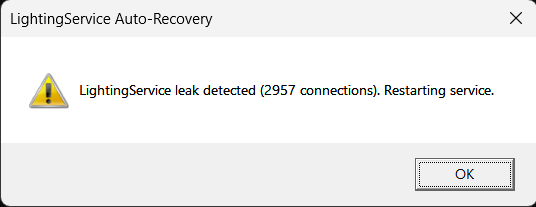
The current state of the project is something I’m incredibly proud of. It features active leak detection based on connection counts, TCP/UDP connection-storm detection, and a health score.. It tracks health scoring and trend analysis, exporting data to JSON and CSV. Most importantly, the watchdog loop now acts as a self-healing guardian. It detects the leak, safely restarts LightingService (using proper process tree termination to flush dead sockets), enforces cooldowns to prevent restart storms, and monitors for clock drift.
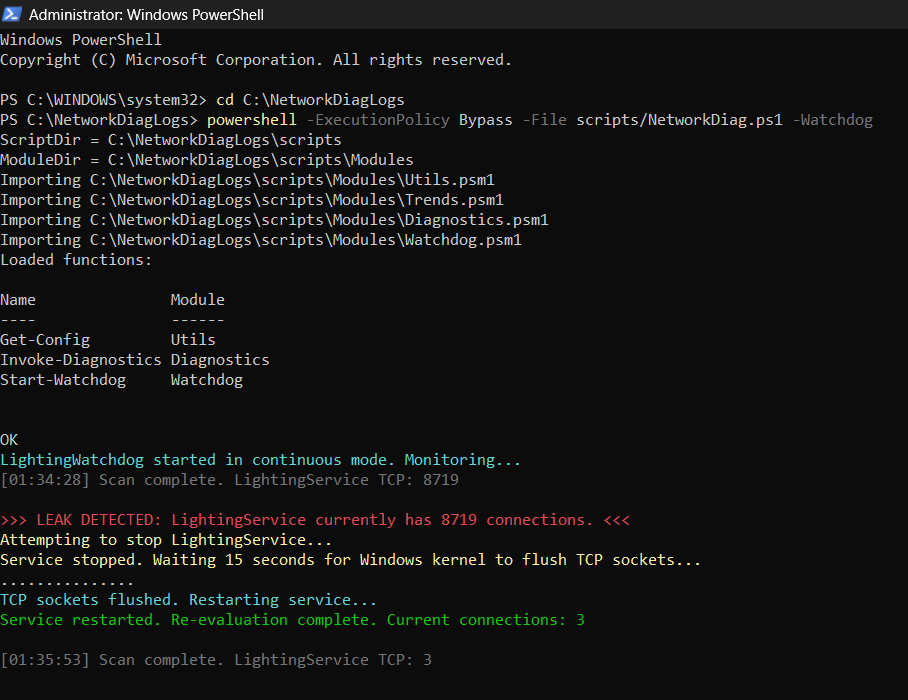
I published the tool on GitHub to give other ASUS users a way to keep their RGB and system stability intact without sacrificing Armoury Crate.
The Roadmap Ahead: Beyond a Script
Update 06/11/2026: most of this roadmap has been delivered; see Update 2 at the end.
While the PowerShell engine is stable, the journey isn’t over. My future goals for LightingWatchdog are focused on transforming it from a background script into a native, standalone Windows application.
First, I plan to abstract the configuration so it can monitor any leaky application, not just LightingService. Next, I aim to wrap the engine in a lightweight C# .NET background worker, introducing a System Tray interface with visual health indicators (Green/Yellow/Red). Finally, I want to migrate the monitoring logic to use Event Tracing for Windows (ETW) for zero-overhead, real-time socket tracking, packaged in a simple one-click installer.
I never expected to become a watchdog developer for an RGB controller. But until vendors write flawless software, such projects will continue to motivate me to improve my logic and coding skills.
Update 1: Why Not a Firewall Rule or G-Helper?
05/09/2026
During my investigation, I explored other potential permanent fixes. I analyzed the TCP dump and found that LightingService wasn’t phoning home to an external server; it was repeatedly calling the Windows Socket API to open local sockets and simply abandoning them. Because it never established a real network transmission, creating a strict Windows Firewall rule would not have helped: a firewall filters network traffic, and these sockets never carried any.
The ASUS enthusiast community often suggests a “reliable permafix”: completely uninstalling Armoury Crate and replacing it with G-Helper, a brilliant open-source alternative. From what I have read (I have not used it myself), G-Helper avoids the leak at the source by not using LightingService at all, but I wanted to keep the official Armoury Crate features. I needed a guardian for the software I already used, which only reinforced my decision to build this script.
Update 2: What Happened to LightingService
11/11/2026
A lot has happened since I wrote this, so here is the short version.
Two projects now. The PowerShell toolkit kept the name LightingWatchdog, and it is a narrow tool by design: I built it solely to watch and reset ASUS LightingService.exe. It needs no installation (double-click Start-LightingWatchdog.bat), it is still maintained (current version v2.7.4), and it will only be useful if you still have, or ever get, TCP leakage caused by that service. The compiled application from the roadmap grew into its own project, NetworkWatchdog: a Windows service, a tray dashboard and an installer, protecting every process on the PC, not only ASUS software. It lives in its own repository with its own version numbers.
The roadmap became real, with a twist. The C# worker, the tray interface and the one-click installer all exist now. Event Tracing for Windows (ETW) is in there too, but it turned out not to be the whole story: ETW tracks sockets in real time between checks, while every 15 seconds the service reads the socket table from the same Windows network provider that PowerShell’s Get-NetTCPConnection uses. That table also shows sockets that were reserved with bind() but never connected, which is exactly how the LightingService leak looks.
A watchdog must not lie. In v2.7.4 I fixed a case where a failed kill was reported as a successful restart. It now prints RESTART FAILED and does not count the attempt. Restarting a service also needs administrator rights, which the first version never said; the new launcher asks for them only in “monitor and manage” mode, and there is a monitor-only mode that never stops or restarts anything.
What the sockets looked like. Later captures with Sysinternals TCPView changed my picture a little. The sockets were not just opened and abandoned, as Update 1 suggests: LightingService kept trying to connect to a port on the loopback address, and those attempts stayed stuck in SYN_SENT, never completing, while new ones piled up. A reader replying to my LightingWatchdog post on Reddit reported something that fits this: in their case the Aura wallpaper had switched itself off in Armoury Crate, the service apparently kept waiting for a connection that could never be made, and switching the wallpaper back on made the connection succeed, although the waiting connections already piled up stayed around. I have not verified that on my own machine.

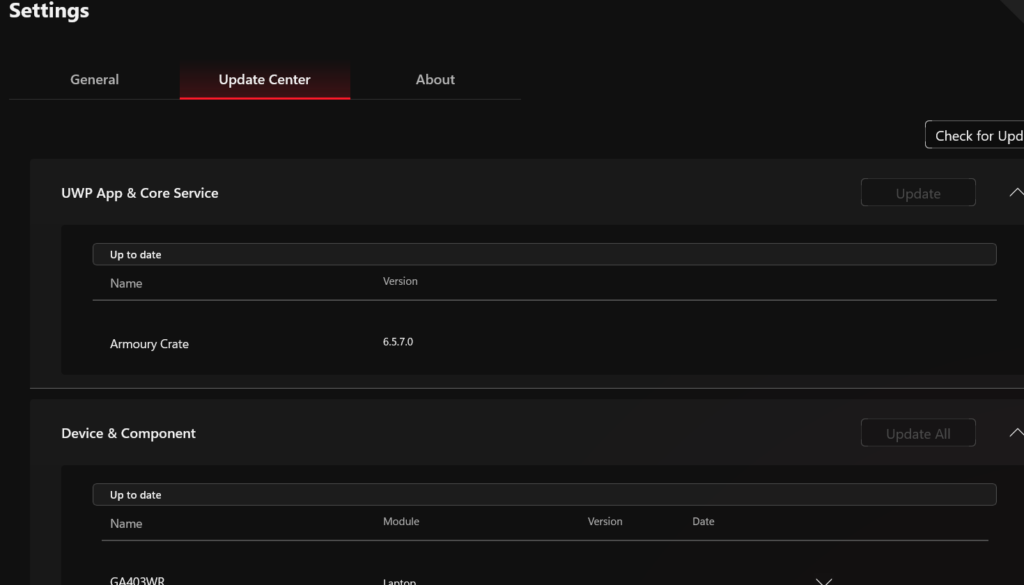
And ASUS? On 31/10/2026 I updated to Armoury Crate 6.7.6.0 (part of the 6.7 series that ASUS announced on its ROG forum in October 2026) and Aura Service 3.11.08. Since then LightingService has not shown up in my monitor. As far as I could tell this looks like a real fix, but I have watched it for only less than two weeks, I have not seen any note about what exactly changed, and I cannot say whether it relates to the wallpaper behaviour above, so I will report back if anything changes.
LightingWatchdog on GitHub · Network Watchdog on GitHub
It is a strange feeling to build a guardian and then watch the thing it guards finally behave. The guardian stays on duty anyway…